
Inside Rock's content pipeline
Workflow #1. How one operator ships full blogs with TOCs, widgets, inbound linking, and FAQs straight from the terminal into Webflow. The system, the real numbers, and the open-source repo.
Most "AI for marketing" content stops at the prompts. The top-10 lists, the 50 ChatGPT tricks, the prompt galleries. Useful, sometimes. They miss the part that actually matters: the pipeline around the prompt. The data feeding it. What swaps when the model changes. The bits that turn a clever output into a system that ships every week.
This is Build Log #1. Every Friday I'm publishing a workflow I built that week, with the actual scripts, configs, and prompts in an open repo. Some weeks will be full system teardowns like this one. Other weeks will be one deep dive on a single component, or a small hack you can lift in 10 minutes.
Today's build: the content pipeline I run at Rock. One operator, terminal-first, full articles pushed directly into the CMS. By the end you'll see the system, the real numbers it produces, and where to fork the code.
TL;DR
Rock's blog had been dormant for years. I built an end-to-end process to ship differentiated content into a commoditized SERP, with the depth, structure, and citations that both Google and the AI engines reward. Blog impressions grew 57% over the last 28 days to 745,000, alongside 12,558 keyword positions in the top 10 and climbing. Repo open-sourced below.
In this post: Why now / The problem / What the pipeline outputs / The results, honest / The system (research + brief, writing, post-publish lint) / What's in the open-source repo / Next Friday
A note before we go in. This article covers the thinking and the design choices. The repo holds the scripts and configs. If you want to fork the pipeline, go to the repo. If you want to know why I built it this way, you're in the right place.
Why now
Before the mechanics, the layer the article would feel hollow without: why building this specific pipeline at this specific moment made strategic sense. The "what we built" is downstream of the "why we bet on it now."
Three things lined up.
The category is commoditized, the content map is known. Rock is a chat-plus-task-management tool. That's a well-defined product category with well-established search intent. People search for comparisons (Slack vs Teams, ClickUp vs Asana), alternatives (Trello alternatives), methodologies (how to run a sprint), and feature explanations (what is async work). There's no need to invent demand, educate the market on a novel concept, or write a category-defining manifesto. The articles that earn rank in this space are the ones that match known intent with better depth, better structure, and better differentiation. Doing that across 150 articles is where most teams break: the topic list is obvious, the volume-and-quality combo is what most teams can't sustain. The pipeline is built for that exact point of break.
The competitive timing is good. Rock's domain already had years of accumulated authority and a stale archive sitting on it. That's the low-hanging-fruit profile: existing pages 80% of the way to ranking, just needing a refresh and a tighter link mesh to push them over. At the same time, competitive intelligence on the bigger players showed something interesting: many were visibly slowing content production. Some are spooked by AI-content penalties and pulling back. Some are cutting content team budgets under broader cost pressure. Some are running into the same SERP ceiling we are, but without a system to adapt. The result is a softer market than the keyword volume suggests. A small operator with a working pipeline can move faster than a large team with a Google Doc and a quarterly planning cycle.
It's a foundation, not a destination. Organic traffic from blog content is the easy outcome to measure, but it's not the only thing the system produces. A dense content library gives paid campaigns more landing surface to work with: more granular ad groups, more intent coverage, more pages that match what the ad promised. A dense landing-page library gives conversion-rate optimization more surface to test on. The internal mesh of articles makes outbound and partnership conversations easier (more anchors for guest posts, more proof-content to drop into prospect emails). The content engine becomes the substrate for everything else: PPC campaigns, lifecycle messaging, sales enablement collateral.
The pipeline isn't the goal. The pipeline is the cheapest way to build the foundation everything else compounds on.
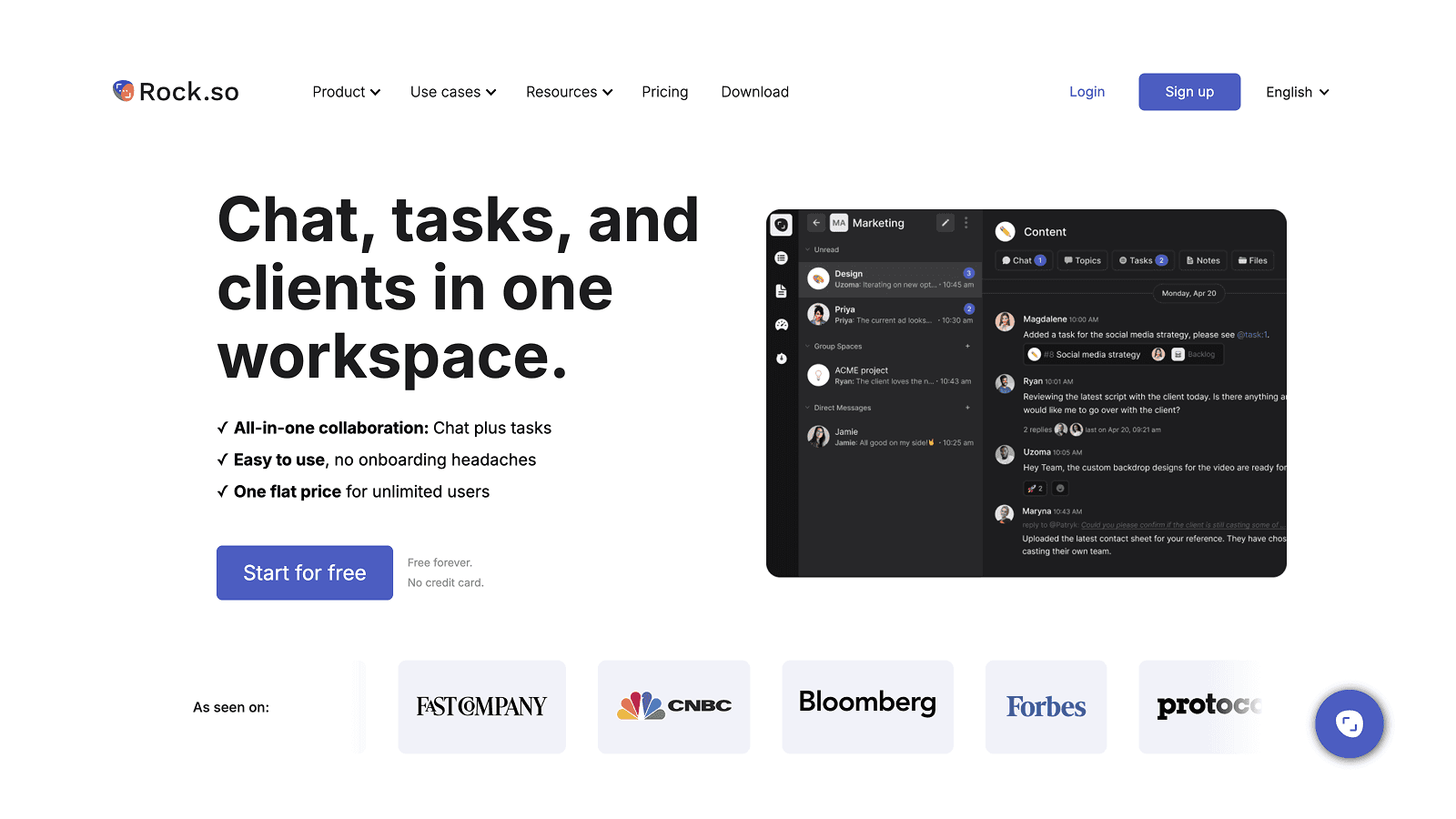
Rock is an all-in-one chat + tasks platform for agencies.
The problem
Rock's blog had been dormant for the better part of three years when I came back to it. The archive was there, mostly intact, but nothing fresh had shipped in a long time. The team had moved on, the freelance copywriter network had drifted, and the content op was effectively a dead asset.
The obvious alternative was the old setup: hire freelancers, rebuild the network, ship a few pieces a month. That's what we used to do at Rock back in 2020-2021 (me plus a small army of freelance copywriters), and it worked for that era. A good freelancer costs $400 to $600 per article. You need 30 to 50 articles to make a dent in topical authority, that's $15K to $30K minimum, plus someone managing briefs, editing, and pushing to the CMS. Doable, but linear: every additional article costs roughly the same as the last one, and every B2B SaaS in our SERP space was already running that playbook.
From the start of this attempt I knew it wasn't the move. The bar had shifted. A bigger, faster, more differentiated process was possible without scaling spend or headcount, if I built it instead of bought it.
The bigger problem was the SERP itself. The keywords we needed (project management, team collaboration, comparison terms for ClickUp, Asana, Notion, Monday, Trello) were commoditized. The top 10 was already filled with content from the tool vendors themselves, with G2 and Capterra roundups, with Atlassian's well-resourced content machine. Adding another "10 best project management tools" article was not the move.
What the SERP actually needed was differentiated angles. Real opinions. Tables that compare on the criteria that matter, not the criteria that flatter the highest-paying advertiser. Interactive elements that let the reader feel the problem the tool solves. Frameworks with point of view.
I looked at the AI content SaaS options. Jasper, Copy.ai, Writesonic, dozens of others. They produce passable filler at scale but the output is the same shape as everyone else's output. The differentiation was nowhere. And the integration layer with the CMS, with the brief generation, with the link library, was either absent or paywalled.
So I built it.
What the pipeline outputs
Before getting into the mechanics, here is what one finished article looks like.
A full-length piece, 1,800 to 3,500 words depending on topic depth. Anchored table of contents at the top with jump links to every H2. A Quick Answer block right after the intro, plain prose, no full-paragraph bold wrap.
Inbound links in the body, contextual, never as a closing "see our other article" tag-on. Anchor text that signals the linked topic, dropped inside sentences that genuinely need the related concept.
Images placed every 400 to 500 words. Thumbnail and first body figure are deliberately different to avoid the lazy duplicate-image feel. Each figure has descriptive CDN naming, alt text that matches the section, italic captions under each one.
Interactive widgets where they earn their place. A draggable kanban demo inside a "how to manage tasks" article. A meeting cost calculator inside a "how much do meetings cost" article. A pitfalls card stack inside a "common mistakes" section. Quizzes when the article is a recommender. Comparison tables when the article is comparison-shaped.
FAQ section at the bottom with schema markup so Google and the AI Overviews can pull from it cleanly. Related posts wired automatically to three sibling articles in the same cluster.
Two-language ship in one operation: English primary, Spanish secondary, both written natively rather than translated word-for-word. This is a new addition I shipped this week and it deserves its own teardown, which it'll get in a future Build Log.
The entire thing pushed directly from the terminal into Webflow. No copy-paste into the Designer. No manual asset uploads. The article comes out ready for the post-publish lint pass and a final eye-check before it goes live.
The results, honest
Volume first, since it's the number that usually leads. Across roughly two months, the pipeline shipped about 200 articles, run by one operator on a part-time basis (me, on a retainer where Rock isn't my only client). That number is uncomfortable to publish in the era of AI-content discourse. It needs context.
Most of it was not net-new. Rock had about 150 existing posts, most of them stale, broken, or out of date. The bulk of the work was a refresh pass plus a cluster cleanup: rewriting outdated articles, fixing dead links, rebuilding the internal mesh, filling cluster gaps where one article needed three siblings to rank. The remaining slice was net-new pieces, mostly comparison-shaped articles targeting cluster gaps Google had no good answer for.
Volume has dropped since. Google ranks at its own pace, the SERP has a ceiling on how many pages from one domain it'll surface for similar queries, and writing more after that point is throwing energy at a slot that doesn't exist. The cadence now sits closer to 5 to 10 articles per week at the max, often less, focused on filling specific gaps and refreshing high-impression pages that are softening. Most of my time goes elsewhere: design automation, lifecycle messaging, the kind of work that'll show up in upcoming Build Logs.
Also worth saying directly: if your domain has no existing rank or trust, blasting out 200 articles is the worst possible move. Google won't index them, AI engines won't cite them, and you've burned weeks producing filler. The pipeline made sense at Rock because the domain already had authority and a stale archive; the work was unlocking traffic that was sitting one refresh away from showing up. On a brand-new site the right play is different: 10 to 15 articles, deeply researched, written for one narrow topical cluster, then ride the slow ramp.
With the volume framing out of the way, the actual KPI numbers.
Everyone in SEO is feeling the AI search shift; we are too. The honest version, not the cherry-picked one.
What's working. Blog impressions in the last 28 days hit 745,000, up 56.7% versus the prior period. The blog now has 12,558 keyword positions ranking in the top 10, and 6,884 of those are top 3, across 254 indexed URLs. Average position improved from 13.2 to 11.3 in a month. Indexation speed is fast: some new articles get picked up within 1 to 2 days, and the recently-shipped Spanish locale started getting impressions within 48 hours of going live. AI referrals (ChatGPT, Gemini, Perplexity) doubled, up 104%, and the engagement rate from those visits is 53% versus organic search's 40%. People who land via an LLM citation stick around longer than people who land via Google. Engagement on top blog pages runs 100 to 145 seconds average. The blog is 51% of all site sessions.
What's not. Blog clicks dropped 22% in the same 28-day window. CTR halved, from 0.66% to 0.33%. AI Overviews are eating click intent. We get the impression, Google answers the query inline, the reader never clicks through. Seems to be the industry pattern right now and we are inside it, not above it.
The honest read: clicks need more nuance than "the system optimizes for them or it doesn't." Most blogs across the industry are losing click volume right now because AI Overviews answer queries inline before the reader has a reason to click through. Rock isn't exempt. What the pipeline does is offset some of that drop with more refreshes, more pages ranking, more shots on goal. If a slot is being eaten by an AI Overview, the system finds the next slot to fill. Without it, the click number would be in worse shape than it already is. The aim isn't to outrun the industry shift, it's to keep enough of the foundation working that the rest of the GTM stack still has something to build on.
The system: research + brief
The brief is where 80% of an article's quality is decided. If the brief is generic, the article is generic. If the brief targets a real angle, the article is differentiated. So this is the layer that gets the most engineering.
Four inputs feed into a brief:
1. Google Search Console. Pull the last 90 days of query-level data for our site. Cluster queries by topical seed terms (project management methods, meeting agenda templates, comparison terms for tool X vs tool Y). Rank candidate topics by total impressions, position, and CTR gap. Output: a ranked list of opportunities. "We're showing up 30,000 times for this query at position 14, fix the article and we capture it" beats "let's write about productivity."
2. Google Analytics 4. Pull the engagement signal for existing blog pages. Identify two categories: pages that are decaying (clicks falling, position softening) get queued for refresh briefs. Pages with low engagement (under 60 seconds, high bounce) get diagnosed for intent mismatch.
3. SERP live-check. For each target query, the script fetches the top 10 ranking pages, extracts their H2 outlines and primary content frames, and captures the AI Overview text if Google is serving one. Then an LLM scores the angle space and surfaces what nobody is covering.
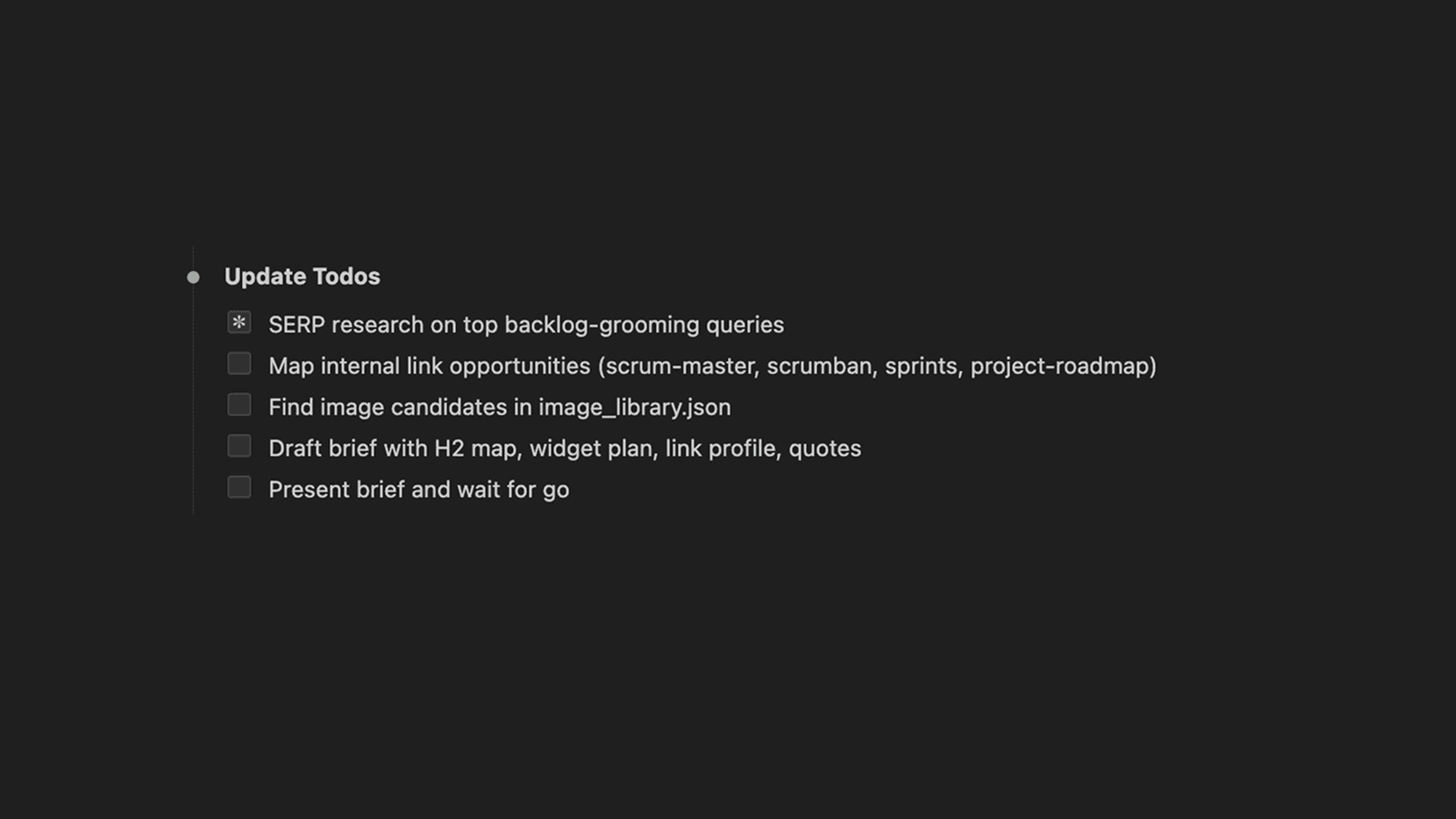
The research stage checklist that feeds every brief.
The brief doesn't just tell Claude what to write. It tells it what's already been said and what hasn't.
That last part is the differentiation engine. Without it, you generate another competent comparison article that ranks fine and converts nothing. With it, you write the version of the article that exists because no one else has written this specific angle yet.
4. Internal lint config. Editorial constraints declared as data, not vibes. Sentence length cap, banned constructions (no em dashes, no "in conclusion", no staccato, no AI cliches), structure rules (no opening H2, max 50 chars per H2, max 70 words per paragraph), and Rock-specific guardrails (no first-person without an "at Rock we" anchor, never call Rock an agency, never bury widgets below the 30% mark). The brief inherits these as constraints baked into the prompt.
Sometimes I'll also drop in a Semrush keyword research screenshot for extra context. Not formal, just useful when the script's keyword view is missing something obvious like search volume, related queries, or keyword difficulty. The brief generator handles screenshots in context the same way it handles the rest of the inputs.
The brief output is a single markdown file. Title and proposed slug. Primary keyword and secondary set. Search intent classification. The promise sentence. H2 outline with the purpose of each section. Widget recommendation with placement. Image guidance. Sibling article IDs for related-posts. 2-3 candidate quotes with attribution. Pre-publish gate checklist embedded at the bottom.
A real brief is 600 to 1,200 words. Claude takes 15 to 20 minutes to generate it, plus a 10 minute human review pass. That's the leverage point: roughly 30 minutes of brief work caps the rest of the article's downside. Skip the brief and you save 30 minutes upfront and spend 4 hours fixing a mediocre draft.
The brief is what Claude consumes to write the article body.
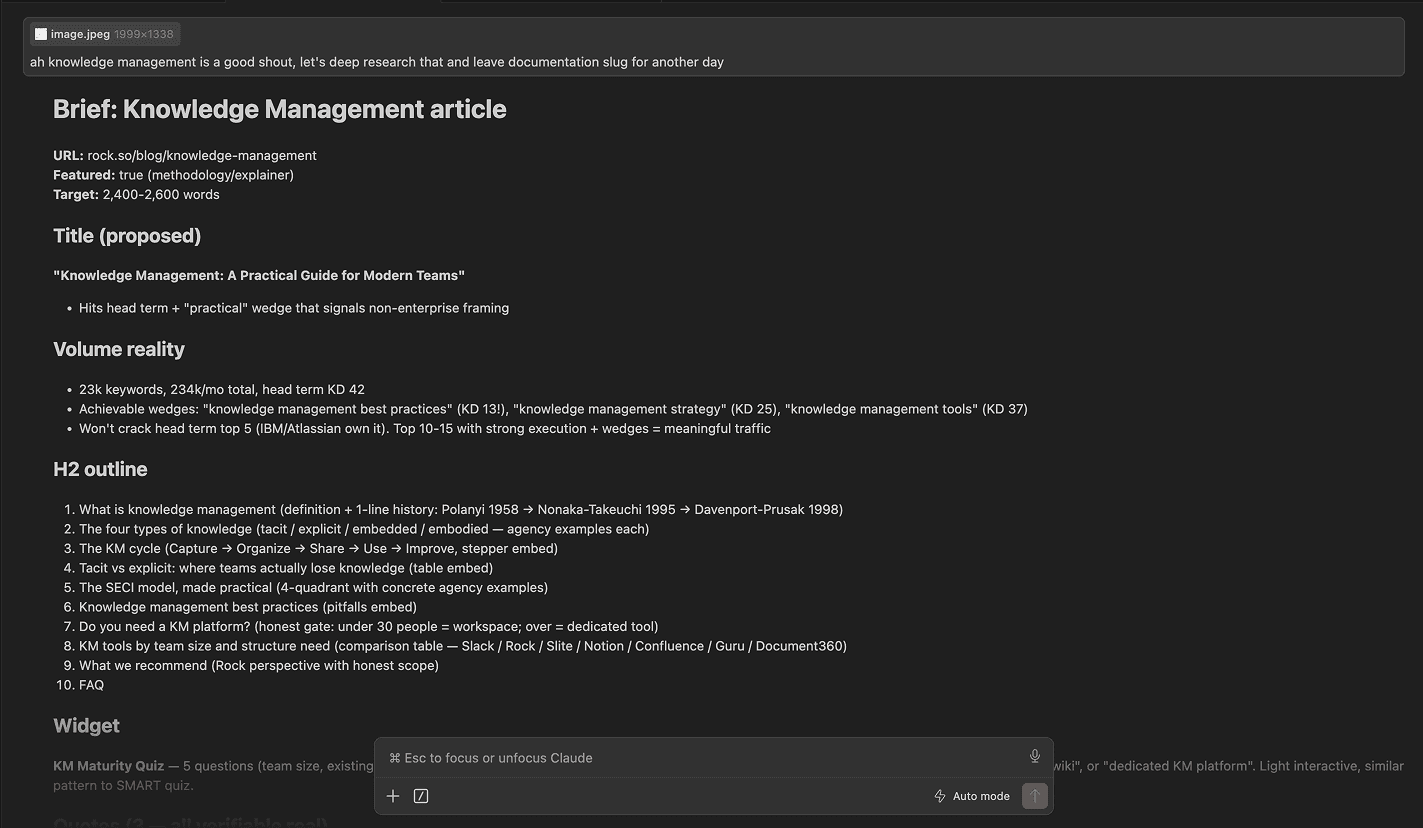
A real brief, rendered in Claude before it becomes a draft.
The system: writing
Once the brief exists, drafting is the boring part. Not because the writing doesn't matter, but because the rules are encoded and the inputs are clean. Claude drafts a section at a time, with the brief in context and the lint rules as constraints.
Lint at draft time. A naming detour worth flagging. I call this layer "lint", not "review". The terminology is borrowed from code linters because that's the mental model: a fail-or-pass check that runs on every output, not a soft suggestion to revisit later. There's also a practical reason: Claude Code consistently skips steps I label "review" and treats anything labeled "lint" as a hard gate. Small word change, big behavioral difference. If you're building agentic workflows, this kind of phrasing detail matters more than it should.
Each section of the draft runs through the linter before assembly. Duplicate paragraphs, broken HTML structure, sentence-length violations, banned phrases that slipped through. Catches 90% of issues at the cheapest fix-point, before push.
Inbound linking. Internal linking is one of those things every SEO guide tells you to do and almost nobody does well at scale. Done manually, the math is brutal. You have 150 articles in the archive. You're publishing a new one. You need 5 to 10 outbound links from the new piece into siblings, and 3 to 5 inbound links from existing articles into the new piece. That's reading through dozens of old articles to find the right anchor sentences, doing find-replace surgery on each one in the CMS, and trying not to lose track of which articles you've already touched. Two hours per article, easy. Skipped the first time you're tired, skipped every time after that.
Every article gets contextual links to 5 to 10 other articles in the same cluster, ideally dropped inside sentences that genuinely need the related concept. Placement varies in practice: most links live inline in the body, some still land as closing related-reads, and a few inevitably end up where they shouldn't be. Moving more inline is an ongoing improvement, not a solved problem. The way the suggester works: a pre-built link library JSON holds every existing article with its title, URL, and 3 to 5 SEO-anchor candidates. The script walks the draft, finds occurrences of any anchor text, scores each candidate via LLM for contextual fit, and proposes only the ones that genuinely help the reader. Forced links get rejected.
The same flow runs in the other direction post-publish. The new article needs 3 to 5 inbound links from existing articles too. The suggester picks the sibling articles, proposes the (find, replace) pairs, and pushes the edits via API.
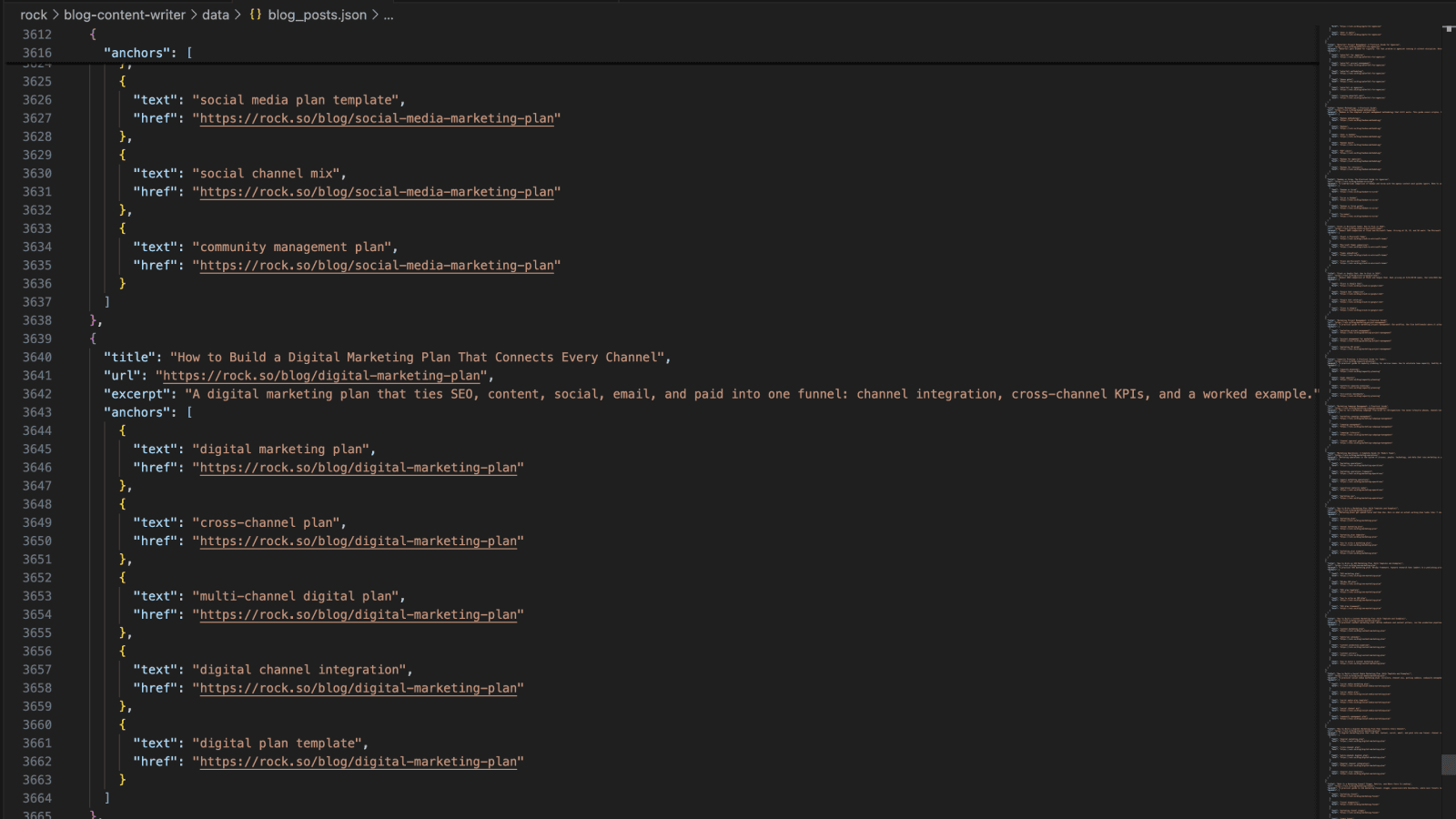
The suggester proposes (find, replace) pairs to drop links inside sentences that genuinely need them.
Widgets. Interactive elements when the article shape calls for one. A calculator inside cost-of-X articles. A quiz inside tool-recommender articles. A draggable kanban inside how-to-manage-tasks articles. A pitfalls card stack inside common-mistakes sections. Comparison tables inside head-to-head articles. Each widget is its own sandboxed HTML embed: scoped CSS class prefix to avoid collisions, inline <style> and <script> blocks wrapped in a data-rt-embed-type='true' div so Webflow's sanitizer leaves them alone.
There are widget-shaped landmines in Webflow that took real hours to discover. Static <button> or <input> tags get stripped by the rich-text sanitizer; you must inject form elements at runtime via JS. Empty <table> shells in widget HTML get silently stripped on Designer save; build the table at runtime via createElement. Apostrophes inside single-quoted JS strings kill the IIFE silently; the widget renders but clicks do nothing after a certain point. Each of these cost a debug cycle. Each of them is now baked into the linter as a hard block.
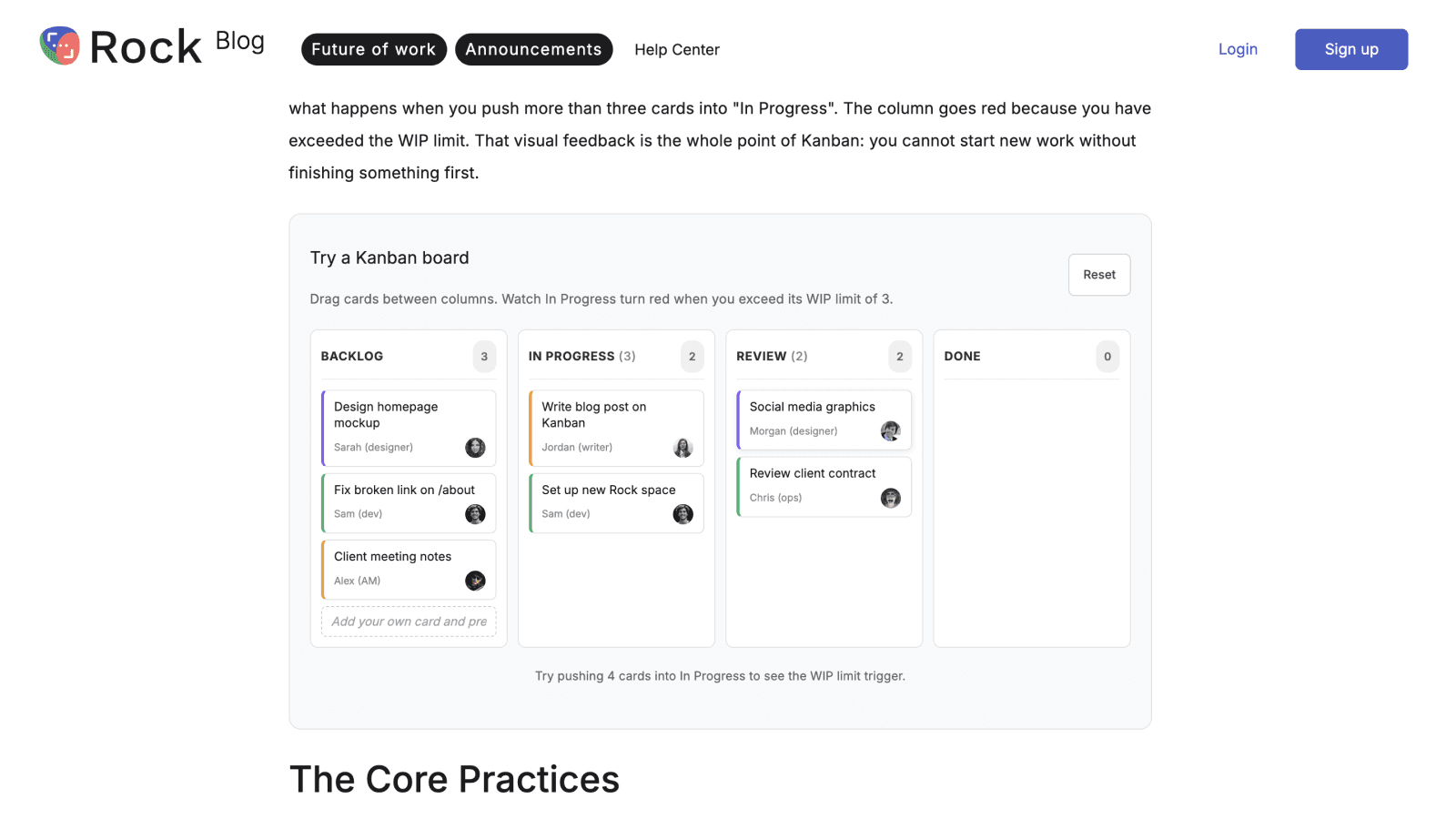
A live widget embedded inside a Rock article. Built once, shipped via the pipeline.
Images. The image problem is sneakier than it looks. The asset library has 470+ images, most of them decent quality, all reasonably tagged. The human brain still ends up using the same 10 over and over, or worse, designing new ones from scratch thinking it's faster (it isn't). You forget what you've used where. You pick the wrong image because it's the first one that came up in a quick scan. The thumbnail and first body figure end up identical because you weren't holding both in working memory at the same time. These are not failures of taste, they're failures of cognitive bandwidth at scale.
The script does the bandwidth part. It pulls candidates from the image library tagged by use case, filters out anything already used in the same article, enforces the thumbnail-versus-first-figure rule (the most common AI-content tell: same image at the top of the card and the top of the article, reads as filler), and presents 3 to 5 shortlisted options per slot. The final pick still happens by human eye, not metadata match. Metadata says "this image is about meetings." Human eye says "this image visually fits the section about closing the loop after a meeting." The eye wins. The script's job is to reduce the candidate set from 470 to 5 so the eye has something it can actually scan.
FAQ + Quick Answer + Schema. Two structural elements that earn their place in 2026 SEO. A Quick Answer block at the top, plain prose, one direct paragraph answering the query, no full-paragraph bold wrap. This is the snippet Google pulls for featured snippets and AI Overviews. An FAQ section at the bottom with JSON-LD schema markup, so the search engines and the AI engines can lift specific Q&A pairs out cleanly. Both add minutes to the draft and disproportionate distribution to the result.
Push. Webflow CMS v2 API, with three layers of handling.
Asset upload. Any image not already in the library gets registered via the 3-step Webflow asset endpoint (register → upload to S3 → poll for processing). Returns a CDN URL.
Item creation.
POST /items/bulkwith the appropriate locale IDs in the request body, under one item ID. (The full multi-locale ES workflow is fresh from this week and complex enough to deserve its own writeup, which it'll get in a future Build Log.)Publish.
update_collection_itemswrites to the CMS as a non-draft, but the article isn't live untilpublish_collection_itemsruns separately. ChecklastPublishedon the response. If it's stale, the push didn't go live.
The gotchas that bit me at least once each, now permanent in the script as defensive checks: the Webflow CDN filename never updates after an asset swap, so you fetch actual bytes to verify; the ES locale silently writes to primary if you pass cmsLocaleId as a query param instead of a body field; Webflow Designer can strip widget HTML on edit if someone opens the article and saves; raw <ul>/<ol>/<li> outside embed wrappers get stripped silently, sometimes on the second Designer edit, not the first.
These would each have been a 30-minute debug. They are now 30-second linter rules.
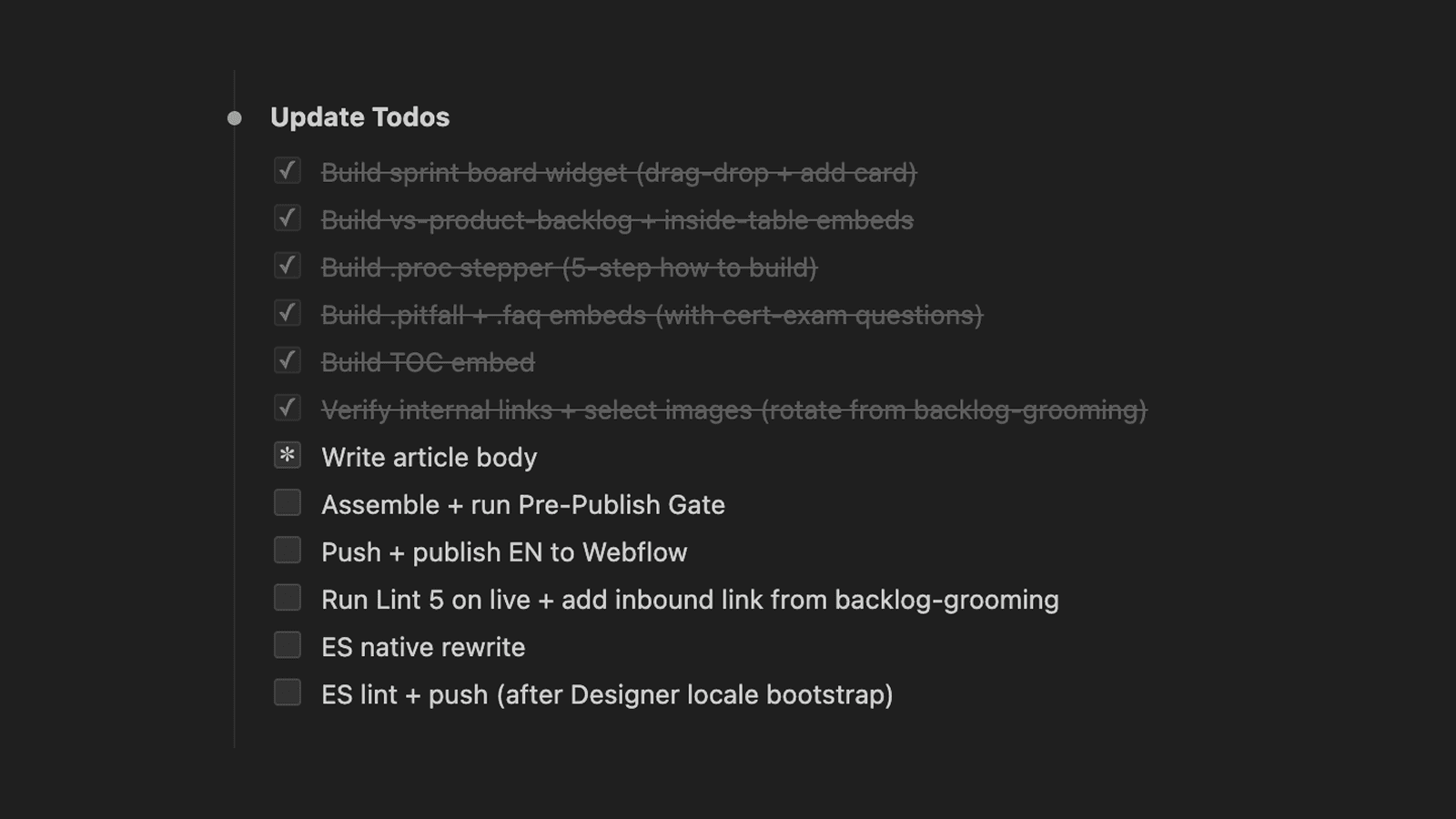
The writing stage runs through drafting, lint, linking, widgets, images, and the push to Webflow.
The system: post-publish lint
After the article is live, the system fetches the rendered page and runs the full lint against it. Not the local assembled body, the actual rendered HTML Webflow served. This catches a class of bugs that only surfaces after publish.
The lint is five passes:
Editorial. Intro length (2 paragraphs default, max 3), sentence length cap (25 words preferred, 30 hard), em dashes (zero), paragraph length (max 70 words), header length (max 50 chars), header structure (no opening H2), quote attribution complete with name + title + company.
SEO. Meta description under 160 chars and includes the primary keyword. Primary keyword frequency 3 to 5 with natural distribution. Internal links contextual and inline. External link 200-status check on every linked URL. Image alt text under 125 chars matching the section. Thumbnail not duplicated as first body figure.
GEO (LLM/AI search). Tables for any comparison or decision-tree shape (LLMs preferentially cite table rows). Quick Answer block near the top with a direct definitional paragraph. Named quotes with full attribution (LLMs only cite quotes with clear sources). H2 cadence every 250 to 400 words for scannability.
Reader. Jargon scan: every abbreviation (P&L, OKR, GA4, SaaS) flagged with a "define on first use" prompt. Idiom swap to literal phrasing for non-native English readers ("low-hanging fruit" → "easy wins"). No brand drops in the first paragraph unless the brand is the topic. No skim-stoppers like "That's the point" or "Here's the thing."
Render. This is the hard block. Fetch the live HTML, walk it. Are all widget classes present? Do image URLs return 200 with an image content type, not an HTML 404 page? Are figures rendered as <figure> with <figcaption>, not bare img + paragraph? Are there any [PLACEHOLDER] or [EMBED] strings that leaked through assembly? Critically: any <ul>, <ol>, or <li> outside data-rt-embed-type wrappers gets failed immediately, because Webflow will strip them silently next Designer touch.
Anything that fails gets queued for a manual fix. Most articles pass clean. The ones that don't surface one or two issues per release. Those go in the gotchas list and become the next linter rule.
The post-publish pass is cheap. Five seconds to run, catches the failure modes that would otherwise show up two weeks later when someone reports "your article has a broken widget." Worth running on every push.
What's in the open-source repo
The full pipeline, scrubbed of any client-specific IDs and credentials, lives in an open repo:
github.com/nicolaas-spijker/build-log/01-content-pipeline
(The repo root holds all weekly workflows. Each Build Log adds its own numbered folder.)
What's inside this folder:
The brief template
The link library builder (scrapes your blog, generates SEO anchor candidates, runs them through an LLM for relevance scoring)
The inbound link suggester (takes a draft + the link library, proposes contextual inserts)
Three example widget HTML files (table, pitfall card stack, anchored TOC)
Skeleton scripts for GSC pull, GA4 pull, SERP live-check, Webflow push, and the post-publish audit
A
CLAUDE.mdoperating manual that documents the conventions, the universal Webflow gotchas, and the 5-lint structure so any downstream agent (or human) can pick the repo up cold and be productive
What's deliberately NOT inside: API keys, OAuth tokens, the Rock-specific CMS schema, customer data, any internal business strategy. Everything is environment-variable driven. .env.example lists every variable you need and what each one is for.
License is MIT. Fork it, set your env vars, point the scraper at your own blog, generate your link library, write a brief, and you're off.
Some of the scripts ship as honest stubs with TODO headers. The brief generator is generalized. The link library builder is fully working. The inbound link suggester is fully working. The Webflow push helper is a skeleton because the working version has too much Rock-specific schema baked in to ship cleanly. Each upcoming Build Log will promote one stub to fully-built, with a writeup explaining the design choices. The repo grows with the series.
Next Friday
One thing worth saying out loud: this Build Log is hefty on purpose. It's the launch teardown, so it covers the whole system from research through publish, plus the reasoning behind each layer. Most weeks won't be this long.
Future posts will be shorter and more varied. Some examples of what's likely to land:
A hack I picked up this week that saves an hour of manual work
A single script that solves one specific recurring annoyance
A weird Webflow (or Framer, or Figma) behavior and the 30-line fix for it
A short guide on getting started with Claude Code as someone who doesn't code professionally
A deep dive on one of the components from this post (the inbound linker, the brief generator, the SERP gap analyzer)
The thread I want to pull through: the "I'm a marketer who stopped avoiding the terminal" angle. You don't need to be an engineer to use any of this. You need to be okay with the discomfort of opening a code editor and treating Claude Code as a colleague you talk to in plain English.
If any of this feels too technical to lift into your own setup, that's an open invitation, not a closed door. Send me a note (DM, email, anywhere that lands easiest) and I'll write a follow-up Build Log that breaks down whatever piece is sticking. Half the reason I'm publishing this in public is so the gap between "I read about it" and "I have it running" gets shorter. Tell me where you got stuck and that becomes the next post.
If you want to follow along, the email list at the top of the page sends one note per Friday when the new post drops. No promo, no newsletter padding, just the link.
That's Build Log #1.